Android Auto vs Apple CarPlay Retrofit in San Francisco, CA lets you enjoy modern tech without losing your car’s clean style. Today’s drivers want simple tools that make every trip easier, from clear maps to hands-free calls. Yet many people also want to keep the original dashboard design they already like.
Because of this, more owners look for retrofit options that blend in and still feel factory fresh. They want systems that stay easy to use, work with their favorite apps, and improve safety. With the right CarPlay retrofit kit or Android Auto adapter, you can upgrade your ride without turning your dashboard into a cluttered screen wall.
Benefits of Retrofitting In-Car Technology
Upgrading your vehicle with a retrofit kit brings new features to older models without a full dashboard replacement. By choosing Android Auto or Apple CarPlay retrofit, you gain smooth phone pairing, music apps, and clear calls. These tools support voice control, so you spend less time touching the screen and more time watching the road.
By choosing Android Auto vs Apple CarPlay Retrofit in San Francisco, CA, you also keep a familiar interior while adding modern navigation, entertainment, and communication. In addition, you can plan your upgrade with local car audio services in San Francisco that understand your vehicle. This helps you get expert advice without losing the look you already love.
- Enjoy safer, hands-free calling and messaging.
- Use real-time navigation, traffic, and even OSM-based map apps.
- Stream music and podcasts from your favorite services.
- Keep the factory look of your dashboard and controls.
- Avoid the cost of a full new stereo system.
Understanding Android Auto Retrofit Solutions
Installing Android Auto in a car that did not include it from the factory starts with picking the right Android Auto adapter and kit. This small module connects to your factory head unit and your phone. Then it mirrors key apps on your original screen and lets you control them by touchscreen, steering wheel buttons, or voice.
Most retrofit kits use a plug-and-play harness and special software designed for each model. Once installed, you can open Google Maps, Waze, or other map apps directly on your existing display. Moreover, music, messages, and calls appear in a simple menu. For help with neat, safe wiring, many drivers choose professional car stereo installation in San Francisco, CA.
Features and Functionality of Android Auto
Android Auto gives you tools that make daily driving less stressful and more organized. Through the clear interface, you can follow turn-by-turn directions, see traffic warnings, and find gas stations or coffee shops. With Google Assistant, you simply speak to send a message, start a playlist, or call a contact without taking your hands off the wheel.
- Turn-by-turn navigation with live traffic and lane guidance.
- Support for OSM and other map-based apps through your phone.
- Access to popular audio apps like Spotify, Pandora, and YouTube Music.
- Simple, large on-screen buttons made for quick glances.
- Regular updates that add new apps and improve safety features.
Additionally, Android Auto shows album art, song titles, and basic controls, so you are not digging through menus. As phone software improves, the system also grows. This means your in-car experience can stay current for years, even though your car’s hardware stays the same.
Pros and Cons of Choosing Android Auto Retrofit
When you look at the pros and cons of Android Auto retrofit, it helps to compare it directly with Apple CarPlay retrofit. Android Auto works smoothly with Android phones and supports many map and media apps. This brings a safer, hands-free experience that still feels flexible and familiar for Android users.
However, Android Auto retrofit is not ideal if you regularly drive with passengers who use only iPhones. Their devices will not connect in the same way. On the other hand, Apple CarPlay is less flexible for layout changes, but it gives iPhone users a very consistent and simple experience. Therefore, your phone choice is a key factor in your decision.
Exploring Apple CarPlay Retrofit Options
Choosing a CarPlay retrofit kit helps iPhone users bring Siri and favorite apps into the car’s original screen. Typically, this kit includes a main module that plugs into factory connectors and pairs with your phone by USB or wireless. It delivers the familiar CarPlay home screen while keeping your original trim and buttons untouched.
Many kits are custom-made for specific brands and models, so steering wheel and dash controls continue to work as before. This smooth integration maintains your interior’s clean style and still gives you navigation, calls, and music streaming. Drivers in nearby areas can also combine CarPlay with audio system upgrades in Fremont, CA for an even richer sound.
Key Features and Capabilities of Apple CarPlay
Apple CarPlay improves your time behind the wheel with a simple layout focused on essential apps. With Siri voice control, you can send or hear messages, place calls, and get directions without looking away from traffic. This design keeps the interface clean and removes extra icons that might distract you.
- Hands-free control through Siri for calls, texts, and reminders.
- Turn-by-turn navigation with Apple Maps, including traffic and lane help.
- Support for Apple Music, Spotify, and many podcast apps.
- Easy-to-read icons that match your iPhone’s style.
- Regular updates that arrive with new iOS releases.
Navigation with Apple Maps offers clear visuals, traffic delay alerts, and smart rerouting. If you prefer, you can also use supported third-party map apps. With CarPlay, your in-car screen feels like an extension of your iPhone, which reduces the learning curve for many drivers.
Advantages and Disadvantages of Opting for Apple CarPlay Retrofit
When you think about the advantages and disadvantages of Apple CarPlay retrofit, it is helpful to look at daily use. A major benefit is the familiar Apple layout that iPhone users already know well. Your CarPlay retrofit kit lets you reach important apps quickly and keeps core features within a tap or voice command.
However, Apple CarPlay allows less visual customization than Android Auto. You cannot change as many layout elements or use as many different assistant tools. On the other hand, Android Auto works with a wider variety of devices and apps. Still, some drivers feel its screen and menus look slightly busier, especially in smaller vehicles.
Maintaining Your Car’s Aesthetic Appeal with Retrofit Solutions
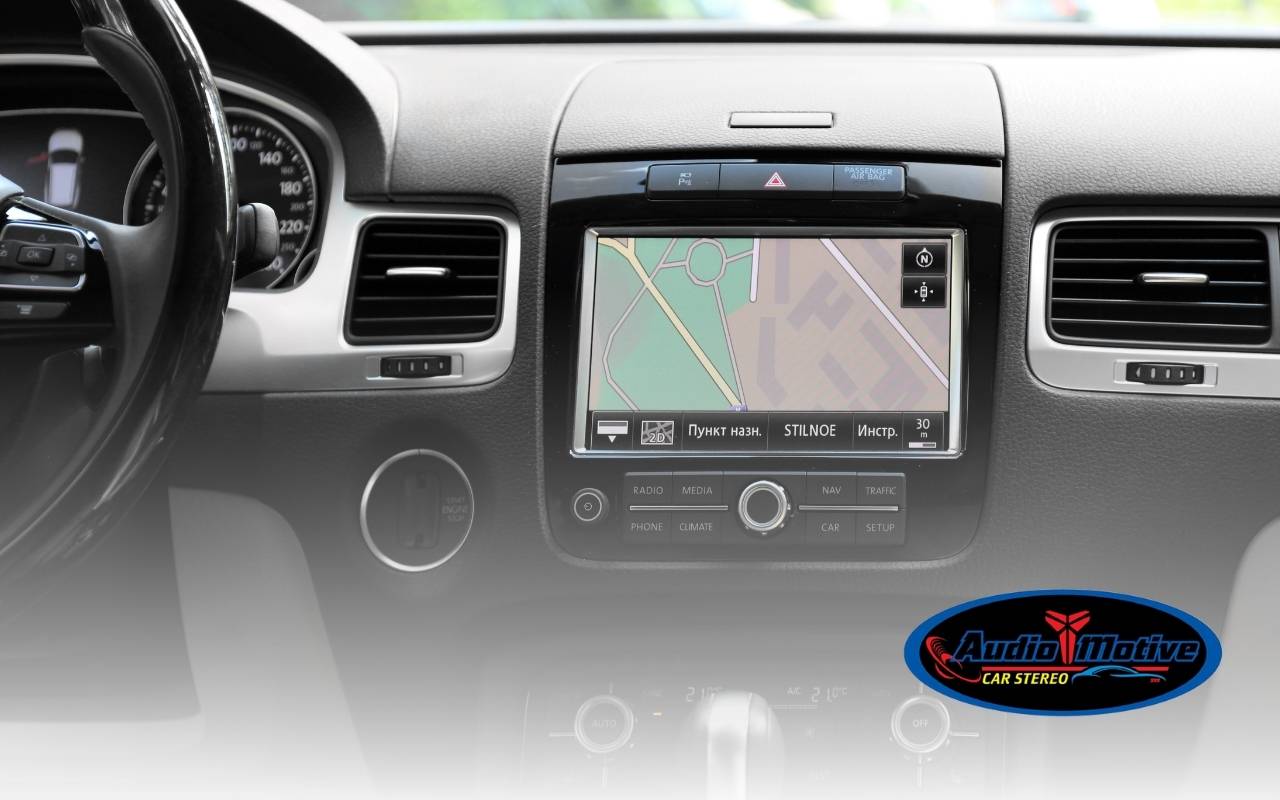
For many drivers, keeping the original dashboard style is just as important as adding new tech. Retrofit solutions that promise a keep factory look focus on hidden modules and tidy wiring. They sit behind your existing screen and connect to factory buttons, so nothing looks bolted on or out of place.
In many cases, expert installers tuck cables behind trim pieces and secure modules behind factory screens. This method hides extra hardware and makes it seem like the system came with the car. Whether you choose a CarPlay retrofit kit or an Android Auto adapter, picking a vehicle-specific kit helps preserve that showroom feel and the car’s resale value.
Making an Informed Decision: Android Auto vs Apple CarPlay Retrofit in San Francisco, CA
Choosing between these systems depends first on which smartphone you use every day. If you rely on an Android phone, Android Auto gives you smooth Google Assistant support and wide app choice. If you carry an iPhone, Apple CarPlay offers tight Siri integration and a layout that mirrors your phone’s home screen.
Additionally, think about long-term plans, such as whether you might switch phone platforms later. Consider how often you use navigation, music, or calls while driving. Also, look at installation style, how closely the system follows your factory menus, and how well it can keep the factory look inside your car.
Frequently Asked Questions
Is Android Auto vs Apple CarPlay Retrofit in San Francisco, CA worth it for an older car?
Yes, it is often worth it, especially if you want better navigation, safer calling, and easy music streaming. Retrofit solutions let you enjoy modern features while keeping your original dashboard. This is helpful when you love your car but want it to match today’s tech expectations.
Will a retrofit solution change the factory look of my dashboard?
Quality retrofit kits are designed to stay hidden and keep the factory look. The main hardware usually sits behind panels, and your stock controls still work. When installers follow clean wiring methods, most people would never guess the system was added later.
Do I need professional installation for these retrofit systems?
Some plug-and-play systems are simple enough for skilled DIY owners. However, professional installation reduces the risk of loose cables, rattles, or software issues. A trained technician also knows how to route wiring safely and protect delicate trim pieces.
Can I use both Android Auto and Apple CarPlay in the same car?
Many modern retrofit modules support both platforms in a single unit. This means you can plug in either an Android phone or an iPhone and get a tailored experience. This setup is ideal for households where different drivers prefer different devices.
Both platforms offer strong navigation options. Android Auto works well with Google Maps, Waze, and OSM-based apps, while Apple CarPlay focuses on Apple Maps and selected third-party choices. Your preferred map service and how often you drive in heavy traffic may guide your choice.
Enhancing Your Driving Experience with the Right Retrofit Choice
Ultimately, Android Auto vs Apple CarPlay Retrofit in San Francisco, CA is about matching your phone, driving habits, and style. Both paths bring safer calling, smarter navigation, and better entertainment into your daily trips. With the right kit that helps keep factory look and a careful installation, your upgraded car can feel modern yet still completely yours.
By selecting a trusted CarPlay retrofit kit or Android Auto adapter that fits your specific vehicle, you gain a smooth, natural user experience. If you still have questions or want tailored advice for your model, you can easily reach a local expert through the contact page for Audiomotive Car Stereo and plan your next upgrade with confidence.